








The best AI agents aren’t just nice-to-have tools anymore—they’re becoming essential productivity partners. After testing more than 25 AI agents for various tasks, including coding and daily planning, research indicates that only 12 were actually worth retaining.
Rather than taking our jobs, AI agents are transforming how organisations operate across various industries. These intelligent assistants go far beyond simple tasks, supporting nearly every part of the development lifecycle for coders and autonomously completing work cycles, allowing employees to focus elsewhere. For businesses seeking productivity gains, the right AI agent platform can automate tasks ranging from email management to meeting notes and custom workflows. Ultimately, if a task can be broken down into step-by-step processes, it can likely be automated.
This guide examines the best AI agents in 2025, specifically focusing on platforms like Lindy, Devin AI, Sintra AI, IBM watsonx.ai, and AutoGen—helping you identify which solutions might best cut the busywork from your daily operations.
Lindy
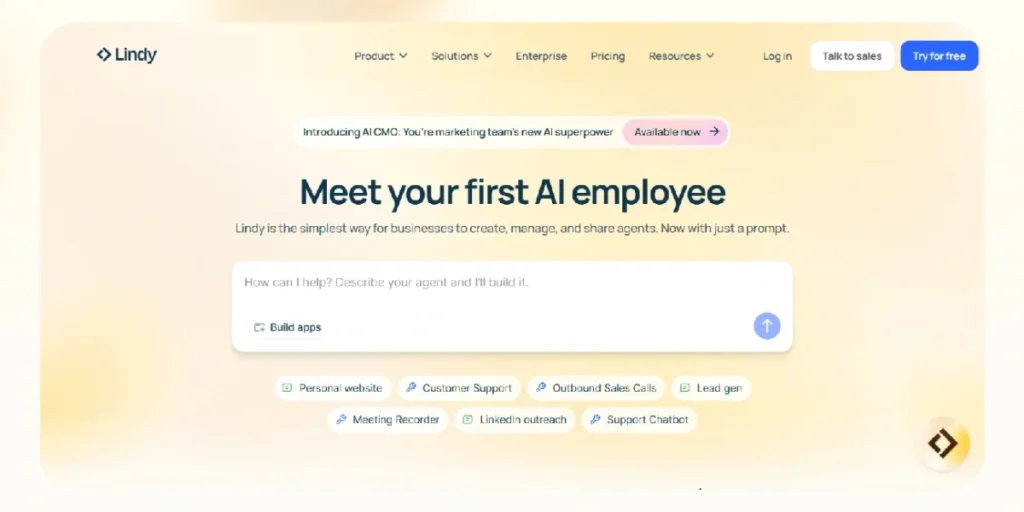
Lindy stands out as a versatile no-code platform that enables users to create customised AI agents (called “Lindies”) for automating various business tasks. Unlike conventional automation tools, Lindy focuses on making AI agent creation accessible to non-technical users through a simple drag-and-drop interface.
Lindy Key Features
At the core of Lindy’s functionality is its intuitive no-code interface that democratises AI agent creation. Users can build workflows without any programming knowledge, selecting preferred apps from an extensive list of integrations and establishing connections through a point-and-click UI. The platform operates on an “if-this, then-that” principle, offering a library of pre-built triggers and actions that can be customised or created from scratch.
Lindy’s philtre and condition capabilities allow users to refine triggers precisely, ensuring AI assistants respond only to appropriate signals. For example, when creating a Slack assistant, users can set conditions such as “only reply if the message contains a question about internal processes”.
Another significant feature is the knowledge base integration, which enables Lindies to search organisation-specific information and respond accurately to triggers. This ensures that automated responses remain contextually relevant and accurate.
The platform excels with its human-in-the-loop functionality, allowing for escalation to human oversight when an automation cannot complete independently. Furthermore, Lindy supports natural language configurations, meaning users can format spreadsheets, search through SQL data, and create automations using simple prompts rather than complex code.
Notably, Lindy offers extensive integration capabilities, connecting with over 4,000 business tools, including major platforms such as Salesforce, HubSpot, Gmail, and Slack. This vast integration network allows Lindies to interact across multiple apps—reading emails, sending updates, logging CRM data, and summarising documents without switching systems.
Lindy Pros and Cons
Pros:
- Limited free plan available for testing and small-scale usage
- External knowledge base support ensures informed answers
- Sleek, modern user interface that enhances usability
- Extreme versatility with 234 integrations and access to 1,000+ tools
- Marketplace of pre-made Lindies for quick implementation
- Stupidly simple agent building is accessible to everyone regardless of technical skill
Cons:
- Higher pricing tiers can be expensive—AUD 458.68/month for the business plan
- No unlimited AI credits, even in the business plan
- Character limit cap (20 million) on the knowledge base
- Complex automations require considerable effort to set up
- Pro users don’t receive priority support
- A credit-based system can lead to unpredictable costs, as credits may be consumed quickly
The credit-based system presents both opportunities and challenges. While it offers flexibility, numerous users report on platforms like G2 and Trustpilot that credits can be consumed quickly and unpredictably, making it difficult to budget effectively.
Devin AI
Developed by Cognition, Devin AI represents a significant advancement in autonomous software engineering. Unlike traditional coding assistants, Devin operates as a fully functioning AI software engineer capable of independently tackling complex programming tasks with minimal human oversight.
Devin AI Key Features
Devin’s cornerstone feature is its agent-native IDE—a secure, cloud-based workspace that includes a code editor, terminal, and browser. This integrated environment enables Devin to read documentation, test outputs, and make live code edits without relying on local setups. The platform also includes VSCode as an embedded editor, allowing users to follow Devin’s work in real-time and take over when necessary.
Interactive planning stands out as another distinctive capability. Before writing any code, Devin produces detailed roadmaps outlining how it will approach each problem. Users can edit, reorder or approve steps, maintaining complete control over the final output. This structured approach helps prevent wasteful iterations by aligning on tasks before execution.
The platform excels at working with multiple tools simultaneously. It seamlessly connects with numerous services, including GitHub (where it can create PRs and respond to comments), Linear, and Slack—making it possible to assign tasks simply by tagging @Devin in conversations. For teams requiring deeper integration, Devin offers API access that allows programmatic management of sessions and workflow automation.
Additional noteworthy features include Devin Search and Devin Wiki, which enable the AI to understand large codebases quickly by generating concise documentation and answering context-specific questions. This capability significantly accelerates onboarding processes and debugging workflows.
Devin AI Pros and Cons
Pros:
- Autonomous Software Development – Plans, codes, tests, and deploys without continuous human input.
- Natural Language Commands – Supports intuitive task assignment using human-like prompts.
- Full-Stack Capability – Works effectively across frontend, backend, APIs, and databases.
- Detailed Documentation – Provides thorough logs and rational explanations for code changes
- End-to-End Coding – Runs tests, opens pull requests, and documents changes independently
- Performance in Benchmarks – Outperformed other systems on SWE-bench, solving 13.86% of issues completely end-to-end (compared to competitors peaking at 1.96%)
Cons:
- Pricing Transparency Issues – Official pricing structure has changed over time, creating budget uncertainty
- Limited Real-Time Collaboration – Lacks features like shared live sessions found in some competing tools.
- Steep Learning Curve – Although easy to start, customising for advanced workflows requires technical skill
- Reliability Concerns – In one study, Devin completed only 3 out of 20 assigned tasks, suggesting inconsistent performance.
- Cost Structure – A credit-based system can lead to unpredictable costs, as credits may be consumed quickly
- Limited UI Capabilities – Struggles with aesthetic aspects of user interfaces and requires human help.
Sintra AI
Sintra AI emerges as a comprehensive suite of specialised AI assistants that function as a virtual team rather than isolated tools. Nicknamed “helpers,” these 12 AI employees cover essential business functions, including marketing and sales, customer support, and data analysis.
Sintra AI Key Features
At the heart of Sintra’s ecosystem sits its Brain AI—a central knowledge hub that stores all business information, enabling each AI assistant to access contextual data for more relevant responses. This shared knowledge base ensures that all helpers maintain brand consistency while eliminating the need to provide the same context repeatedly.
The platform offers 12 distinct AI employees, each pre-trained for specific business roles. These include:
- Cassie – Customer support specialist handling queries while preserving brand voice
- Buddy – Business development manager creating growth strategies and market analyses
- Dexter – Data analyst transforming complex data into actionable insights
- Soshie – Social media manager generating content and scheduling posts
- Penn – Copywriter creating compelling marketing materials
- Scouty – Recruiter handling job posts and onboarding processes
Beyond these core helpers, Sintra provides over 90 Power-Ups—specialised micro-tools that extend functionality without requiring additional software. These tools support various tasks from content creation to data analysis, helping users manage workflows more effectively.
Notably, the platform supports multi-format input capabilities, accommodating a wide range of file types, including text, webpages, PDFs, TXTs, CSVs, and DOCXs. This flexibility ensures information can be processed and utilised in whatever format it’s available. Additionally, Sintra offers multi-language support in over 100 languages, making it valuable for businesses serving global audiences.
One distinctive trait is the platform’s proactive approach. Unlike conventional AI systems that merely respond to prompts, Sintra’s helpers actively suggest improvements and anticipate tasks. This capability, coupled with automations for social media posting, Facebook commenting, and daily email summaries, allows users to automate approximately 80% of their social media efforts.
Sintra AI Pros and Cons
Pros:
- No-Code Simplicity – The system requires no technical skills, offering an intuitive interface that allows quick setup for users new to AI tools.
- Specialised Team Approach – Instead of a single all-purpose AI, users access 12 pre-trained experts covering diverse business functions.
- Value for Money – Compared to purchasing separate tools for email marketing, customer service, and social media scheduling, Sintra offers substantial functionality under one roof.
- Rapid Deployment – Users can create workflows and marketing strategies in under 30 minutes—tasks that traditionally required days with conventional tools.
- 24/7 Availability – All helpers work around the clock, increasing efficiency for tasks like customer queries and data processing.
- Growing Community – The platform’s user base is expanding, with over 40,000 entrepreneurs from more than 100 countries using the service.
Cons:
- Learning Curve for Advanced Features – While the primary helpers are straightforward, some Power-Ups initially feel overwhelming and require experimentation
- Limited Third-Party Integrations – The platform doesn’t natively integrate with as many external applications as alternatives like Zapier
- Design and User Experience Limitations – The interface, whilst functional, doesn’t feel as polished as some premium SaaS platforms.
- Cross-Helper Communication Gaps – One significant limitation is that the AI employees cannot communicate with each other.
- Customisation Boundaries – Heavy tech users might find the no-code environment restricting for particularly complex workflows.
IBM watsonx.ai

IBM watsonx.ai functions as a comprehensive AI development studio for enterprise users, offering tools to build, train, and deploy custom AI models at scale. As part of the broader IBM WatsonX portfolio, this platform bridges traditional machine learning with newer generative AI capabilities to support businesses across their entire AI lifecycle.
IBM Watsonx.ai Key Features
The foundation of IBM watsonx.ai rests on its enterprise-ready studio environment explicitly designed for AI builders. This platform combines traditional machine learning capabilities with generative AI powered by foundation models, enabling businesses to train, validate, tune, and deploy AI models confidently across their organisation.
At its core, watsonx.ai provides access to a variety of foundation models, including IBM’s proprietary Slate family and carefully selected open-source options. These models have been trained on IBM-curated datasets that have been screened to remove harmful content. The first release features encoder-only architecture models that excel in enterprise NLP tasks, such as classifying customer feedback and extracting information from large documents.
For developers seeking flexibility, watsonx.ai offers a Prompt Lab where users can interact with different prompts using both zero-shot and few-shot prompting techniques. This allows experimentation with various models without extensive coding knowledge. Beyond prompting, subsequent releases include capabilities for prompt tuning and fine-tuning models within the Tuning Studio.
The platform supports open-source frameworks, including PyTorch, TensorFlow, and scikit-learn, as well as IBM’s machine learning toolkit. Data scientists and developers can work with Jupyter Notebooks and command-line interfaces in familiar programming languages, such as Python and R. Moreover, the system offers seamless integration across multi-cloud and hybrid environments, providing flexibility for a wide range of diverse applications.
IBM Watsonx.ai Pros and Cons
Pros:
- Comprehensive AI development environment supporting both traditional ML and generative AI workflows
- Access to IBM-trained foundation models and open-source options from providers like Meta and Mistral
- A robust governance framework ensures transparency, fairness, and compliance.
- Flexibility to operate across multiple cloud environments
- Integration with various data sources and formats
- Powerful model customisation options for domain-specific applications
Cons:
- Higher cost compared to alternative platforms
- Complex integration process that may require significant technical expertise
- Steep learning curve requiring investment in training
- Understanding the cost implications of features requires considerable effort
- User experience could benefit from improvements
- Performance concerns in some scenarios
AutoGen
Microsoft’s AutoGen represents a powerful open-source framework designed for building collaborative AI agent systems. Unlike conventional AI platforms, AutoGen focuses on enabling multiple agents to work together through natural language conversations, creating sophisticated multi-agent networks that operate either autonomously or with human oversight.
AutoGen Key Features
At its core, AutoGen offers an asynchronous, event-driven architecture that supports flexible agent communication patterns. The framework excels with its modular design, allowing developers to build customisable agents with defined roles, toolsets, and behaviour models.
A standout capability is AutoGen’s conversation-centric approach, where agents communicate through structured message passing. This enables both deterministic and dynamic, LLM-driven workflows. The framework supports human-in-the-loop oversight, letting agents coordinate while still receiving guidance from developers or end-users.
Beyond basic functionality, AutoGen offers comprehensive debugging with OpenTelemetry observability support and built-in tracing tools, enabling developers to track agent interactions. Its cross-language support enables interoperability between agents built in different programming languages, currently supporting Python and .NET.
AutoGen Pros and Cons
Pros:
- 100% open-source with no platform fees
- Excellent for multi-agent orchestration and collaboration
- Built-in code execution capabilities
- Human-in-the-loop functionality
- Clear separation of agent roles and interactions
- Asynchronous event loop for high-throughput workflows
Cons:
- Complex configuration required for distributed deployments
- Steep learning curve for advanced features
- Not beginner-friendly, requiring technical expertise
- Limited language support beyond Python and .NET
- Challenges with documentation consistency
- Needs manual orchestration rather than automatic
Conclusion – Best AI Agents
AI agents have certainly evolved from simple assistants to essential partners in productivity. Throughout this exploration of the most effective AI agents in 2025, several clear leaders have emerged, each offering distinct advantages tailored to specific business needs.
Lindy stands out as a versatile no-code platform that democratises AI agent creation through its drag-and-drop interface. This accessibility enables non-technical users to create complex automations that span multiple business applications. Meanwhile, Devin AI represents a significant advancement in autonomous software engineering, handling repetitive coding tasks with remarkable efficiency.
Sintra AI takes a different approach by offering a team of specialised AI assistants that cover essential business functions, from marketing to data analysis. This helper-based model particularly benefits solo entrepreneurs and small business owners juggling multiple responsibilities.
IBM watsonx.ai caters to enterprise users seeking comprehensive AI development capabilities, bridging traditional machine learning with newer generative AI technologies. Lastly, AutoGen provides a powerful open-source framework for building collaborative AI agent systems, though it requires technical expertise to implement effectively.
Though each platform adopts different pricing models and specialises in distinct use cases, all five demonstrate how AI agents have transitioned from experimental technology to practical business tools. Whether automating sales workflows, generating code, handling customer inquiries, or orchestrating multi-agent collaborations, these AI systems now serve as capable teammates rather than mere assistants.
The best AI agents depends entirely on specific business needs, technical capabilities, and budget considerations. Nevertheless, organisations that thoughtfully integrate these technologies stand to gain substantial competitive advantages through enhanced efficiency and operational excellence. As AI agents continue to evolve, their role as productivity partners will undoubtedly become even more central to business success.
What are some of the most useful AI agents for businesses in 2025?
Some of the most useful AI agents for businesses in 2025 include Lindy for no-code automation, Devin AI for autonomous software development, Sintra AI for specialised business functions, IBM watsonx.ai for enterprise AI development, and AutoGen for building collaborative AI agent systems.
How does Lindy differ from other AI automation tools?
Lindy stands out with its no-code interface that allows non-technical users to create custom AI agents called “Lindies”. It offers extensive integration capabilities with over 4,000 business tools and a marketplace of pre-made Lindies for quick implementation.
What are the key features of Devin AI?
Devin AI features an agent-native IDE with a secure, cloud-based workspace, interactive planning capabilities, seamless integration with multiple tools such as GitHub and Slack, and the ability to handle complex programming tasks with minimal human oversight autonomously.